SCDO Laboratory · TECH PR
UNIT 09
Series · Automated Contract Ledgers for AI Agents · Next-Gen Smart Payments
On-Chain Security Alarm
Keys, contracts, and social-engineering red lines · Author Ying Willam Zhang
9. Security always on
SCDO Lab · Web3 Primer for Newcomers v2 · English edition
On-chain life is often called a “dark forest”: assume someone wants to trick your signature, allowance, or seed export.
No third-party vendor long-form dumps; no frozen “top 11 plugin install” lists. Principles and habits. Not investment advice.
Why especially dangerous?
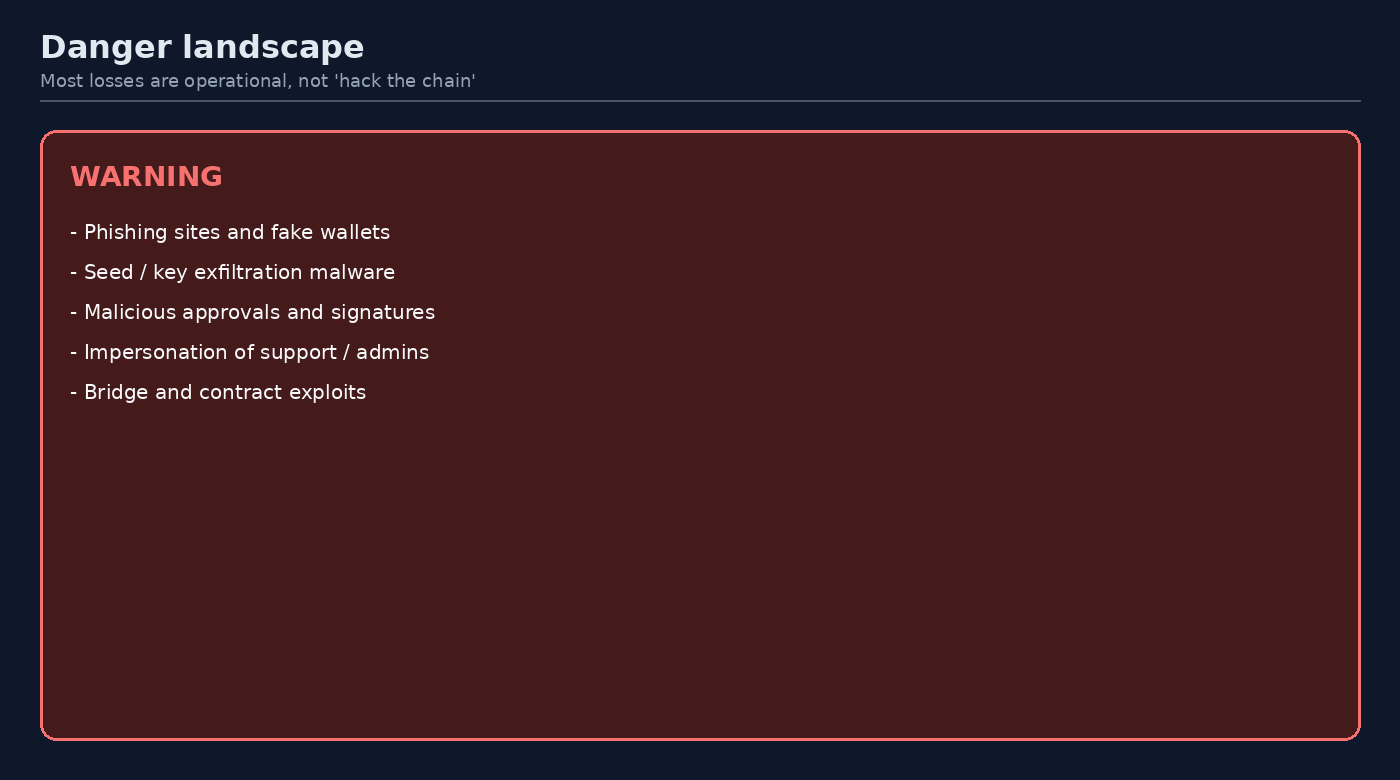
- Hard to reverse txs: wrong often stays wrong.
- Signatures are powerful: one blind sign can empty a wallet.
- Fake sites are cheap: ads, cloned UI, lookalike domains.
- Social engineering upgrades: fake support, fake jobs, romance, fake AI assistants.
- Composition risk: bridges + allowances + malicious tokens + phishing chain together.
Goal is not to scare you off—it is muscle memory.
Attacker map
| Type | Looks like | Defense gist |
|---|---|---|
| Phishing sites | Search ads / fake links that look real | Type official URLs, bookmarks, check domain/certs |
| Fake airdrop/mint | “Free claim” but needs approve | Read allowance size and contract |
| Fake wallets/extensions | Clone apps | Official channels only; verify publisher |
| Fake support | DM “help refund/unfreeze” | Officials never ask for seed first |
| Address poisoning | Similar addresses in history | Check prefix/suffix every time; use address books |
| Malicious RPC / Wi‑Fi | Network hijacks | Avoid strange networks for sensitive ops; hardware wallets |
| Contract backdoors | Team or dependency malice | Limits, split wallets; audits are not gospel |
| NFT scams | Stolen art, fake floors, quote signatures | Do not random-sign; understand listing signatures |
NFT-specific pits
- Signatures that look like “offers” actually authorize transfers;
- Free mints demanding unlimited allowances on major stables;
- Discord overnight filled with stolen-account links.
Phishing’s common cards
Urgency, fear, greed. Anything “countdown must sign” gets a cold pause first.
Defense principles (more important than plugin lists)
- Seeds / private keys never typed online, never sent to anyone, never cloud-album screenshots.
- Large cold, small hot; games/experiments on burn addresses.
- Minimize allowances; revoke regularly with tools you verified yourself.
- Bookmark official sites; do not click the first search ad.
- Hardware wallets for savings-scale assets.
- Simulate/preview before send if the wallet supports it; refuse if unclear.
- Split holdings: one address should not do everything.
- Assume DMs are fake—especially “support.”
- Upgrade and backup drills: restore-test small amounts before device swaps.
- Law and platform process: recovery paths differ by region; set expectations early.
How to choose anti-phishing tools (principles, not install ranks)
- Open source or at least explains detection logic?
- Permissions oversized (read every page)?
- Updates frequent; community reports of false/missed positives?
- Asks for your seed? Discard immediately.
- Domain cross-checked against docs and git?
Tools assist; they do not replace reading signatures.
Risk classes (principle paraphrase)
Chain/contract layer: bugs, oracles, bridges, upgrade keys.
Client layer: fake wallets, malicious extensions, clipboard malware.
Human layer: greed, fear, blind KOL trust.
Ops layer: rugs, insider multisig, fake audits.
Response: limits, separation of duties, timelocks, multisigs, monitoring, limited insurance—and most importantly, do not join what you do not understand.
One AI-era line
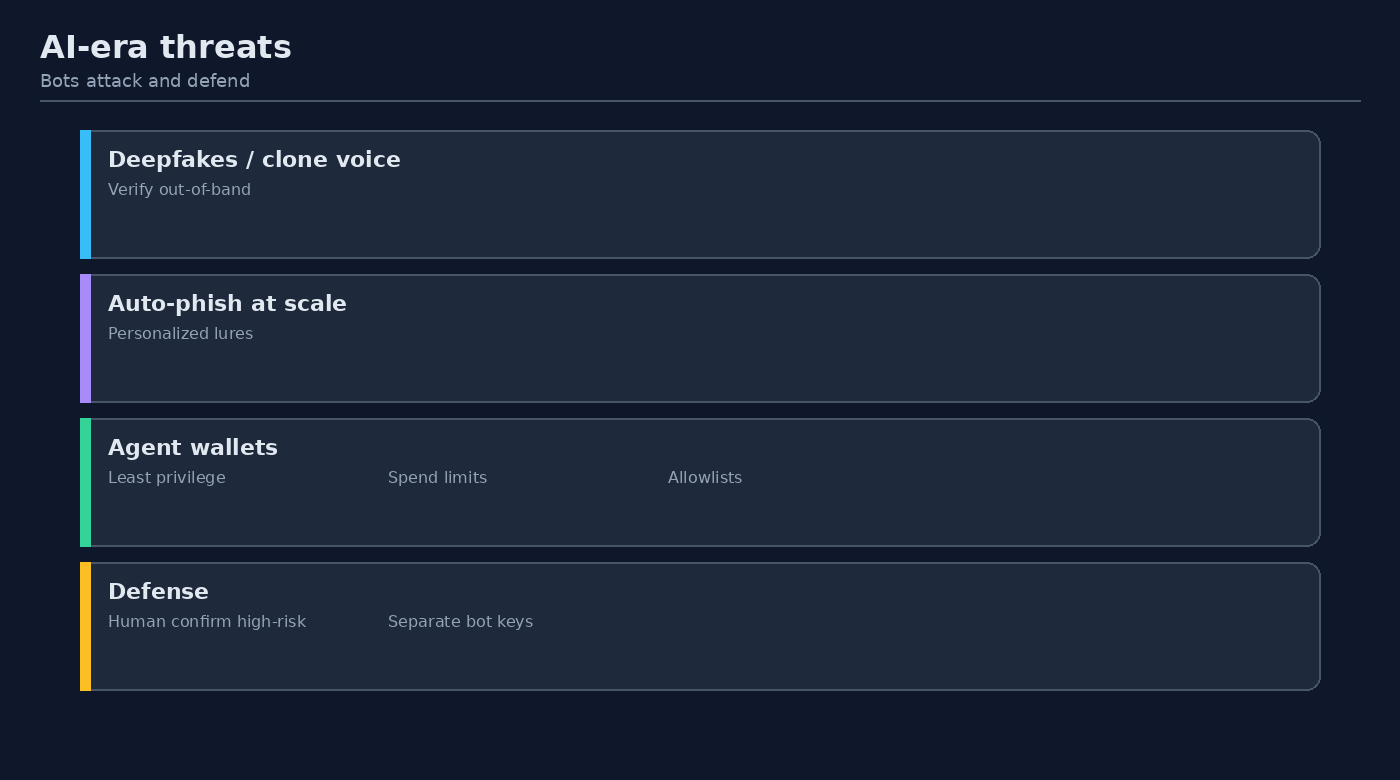
Automated agents can walk steps on your signing path. Give agents intern-level permissions: budgets, allowlisted contracts, revocable, full logs. Aligns with SCDO’s auditable-record emphasis—speed must not erase traceability.
After an incident (principles)
- Immediately: disconnect affected devices; revoke allowances from a clean device; move remaining funds to a new-seed wallet.
- Evidence: tx hashes, phishing domains, chat screenshots.
- Police / platforms: follow local and platform process; do not assume recovery.
- Postmortem: which blind sign? which search ad?
- Do not click the next “asset recovery” scam chain.
Family and team
Shared treasuries: multisig and role split—propose, approve, execute separated. One person in all roles is a single point. Train: support-script recognition, hardware ops, emergency contact tree.
Minimal developer security set
- Checklists and peer review;
- Testnets and invariant fuzzing;
- Limit upgrade powers and timelocks;
- Dual oracle sources;
- Emergency pause and disclosure channels;
- Do not copy mystery “get rich” contracts.
Audit reports are not immunity cards: scope, version, and whether findings were fixed matter.
Physical and supply chain
Fake hardware wallets, pre-backdoored used devices, repair implants—large holders buy official, verify packaging, generate seeds themselves. Rooted/jailbroken phones lower hot-wallet assumptions.
Psychological safety
Shame keeps victims silent; scammers win more. A culture where “almost got phished” is discussable beats five more plugins.
Printable weekly checklist
Weekly:
- [ ] Review allowances; revoke unused;
- [ ] Confirm bookmarks still hit real domains;
- [ ] Update wallet and OS patches;
- [ ] Check backup hardware/paper still readable;
- [ ] Rehearse one “fake support” script.
Monthly:
- [ ] Tiny restore drill to a clean device;
- [ ] Inventory which addresses hold experimental contracts;
- [ ] Read one recent major hack postmortem (learn patterns, not imitation).
Yearly:
- [ ] Consider hardware firmware upgrades (official channels);
- [ ] Family emergency: contacts know you never ask them for codes, and shared “no-transfer passphrase.”
Tape the list to the desk—beats bookmarking a hundred security essays.
FAQ (security)
Q: Typed seed into a fake site?
A: Treat as compromised; move assets to a brand-new seed; abandon the old address.
Q: Does hardware make me 100% safe?
A: Cuts hot-end risk a lot; does not stop you signing malicious txs yourself.
Q: Wallet on public Wi‑Fi?
A: Prefer not; if must, hardware confirm + tiny size.
Q: Family asks remote help to transfer?
A: Anti-scam passphrase; video confirm.
Q: Revokes too expensive?
A: Prioritize high-risk unlimited allowances; wait for cheaper fee windows when you can.
Org threat model (small teams too)
Even a three-person studio can write a one-page threat model: asset classes (treasury, hot wallets, domains, social accounts, repos), adversaries (external hackers, phishing, insiders, vendors), worst impact, existing controls, gaps. Stolen domains/social for fake announcements often harvest fans faster than contract bugs. MFA, least privilege, hardware keys for admin accounts—high ROI, low cost.
Repo dependency poisoning, CI leaking keys, testnet seeds reused on mainnet—classic own-goals. Checklist: dedicated secret storage; short-lived CI tokens; test/prod isolation; dedicated machines for contract deploys. Pre-write disclosure templates: when found, scope, what users should do, whether compensation exists. Silence destroys the only thing pricier than money—trust.
Individuals shrink “org-level” to family: who inherits wallets? is there a careful estate note (that does not become a leak)? do emergency contacts know you never ask them for verification codes? Awkward topics—more controllable than on-chain inheritance fights.
Simulated attack drills (yearly)
A trusted friend runs a half-day “red team”: phishing pages, fake signatures, fake support scripts (agree: no real large transfers). Fix process, not friendships afterward. Companies can hire outsiders; individuals can use family meetings. Findings: confusable domains, missing bookmarks, hardware confirms ignored into blind signing.
Also drill “lost phone”: biometric second gates on hot wallets? exchange withdrawal allowlists? can social accounts be recovered via backup email? Security is a process, not graduating by buying one device.
If AI assistants manage calendars or even draft txs, never hand seeds or unlimited permissions to cloud chat. Treat assistants as strangers on the internet—useful and dangerous—until you can attach audit logs and budgets to their actions.
Travel and cross-border
Carry hardware carefully; split paper backups; never put seeds in checked luggage; avoid sketchy public charge ports (charge attacks); hotel safes ≠ safe. If exchange allowlists bind a home phone number, ensure 2FA still works while roaming. Drill before the airport. Follow local declaration and FX rules—this book does not discuss evasion.
Three-second rule before every signature
Force three seconds: 1) which domain? 2) does the contract want my money or only a verify-sign? 3) did I initiate this? If any answer fails, refuse. Teach new teammates this rule—blocks many reflex thefts. Pair with wallet simulation (if any) and hardware screen confirms for defense in depth. Security is a speed bump, not a brake that ruins the trip; slowing down lets you drive farther.
Clipboard and QR codes
Mobile malware can swap copied addresses; always re-check on-screen prefix/suffix. QR stickers can be faked; large payments use allowlisted address books. Desktops can have malicious extensions watching clipboards—audit extension permissions strictly.
Chapter wrap
- Assume adversaries are phishing; reversals are hard.
- Keep seeds secret, minimize allowances, type official URLs.
- NFTs and airdrops are hot zones.
- Choose plugins by principles, not stale charts.
- Next: closing—learning path, disclaimer, light SCDO extension, how updates happen.
(End of Chapter 9 · v2 English edition · SCDO Lab)